Books module
Features
- Manage books.
- Image insertion.
- Stock management.
General information
To learn how to create or delete records in Books, see the chapter Creating and deleting records.
The Reports module includes a menu allowing you to have an overall view of your stock of books.
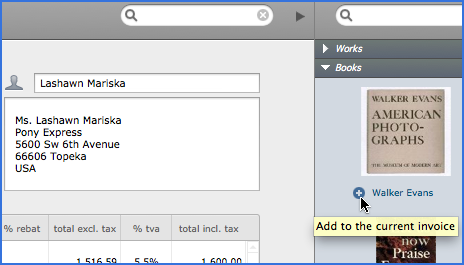
Note: You can create an invoice directly from the record of the book by clicking the Create button or via the Invoices module (with the lateral area extended) by clicking the  button (see image below).
The images are automatically resized when inserted, to fit the format defined in User Preferences -> Options -> Works -> Automatically resize inserted images (the default size is 700 x 700 pixels). If you do not want the images to be resized while inserting, uncheck Automatically resize inserted images. You can always do this manually.