Creating and deleting records
Create records
- Activate a module from the main menu, for example, Address Book.
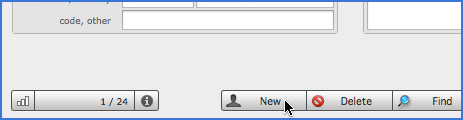
- Click New (see figure below) or press simultaneously Ctrl+N (Windows) or Apple+N (Mac Os) keys on your keyboard.
- Fill in the required fields.
Another way to create records is importing data from other applications or databases.
Delete records
Click Delete or press simultaneously Ctrl+E (Windows) or Apple+E (Mac Os) keys and confirm suppression in the following dialog box.
If you wish to delete a set of records or all the records from a module, follow these steps:
- Activate a module from the main menu, for example Address Book.
- Find the records you want to delete or show all the records if you wish remove all of them.
- Choose Records -> Delete all records... if all the records are shown or Records -> Delete found records... from the menu bar.
Very important: Deleting records is an irreversible action. You should use it with caution.