Artists module
Features
- Managing artists records
- Displaying the works of an artist from its record
General information
To insert a picture of an artist, double-click directly into the picture field (see figure below). If an image already exists, delete it using the Delete key, confirm the entry by clicking outside of the field and double-click again inside to activate the choose dialog. Insertion can also be done by drag and drop. Since version 2.0.6, the image is automatically resized to fit the field (75 x 107 pixels). Obviously, you can also prepare the image with this size before inserting with an image processing software. For the old images, the submenu Records -> Other ... -> Resize Image (75 x 107 px) allows you to adapt the image dimensions to the field size.
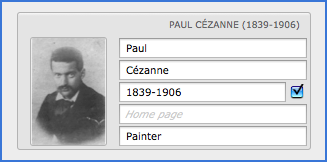
To attach the dates of birth and death to the name of the artist, check Attach the Date of Birth to the Artist's Name  (see image above). This action will change the name of the artist in all his records of the module Works.
 Advice on use
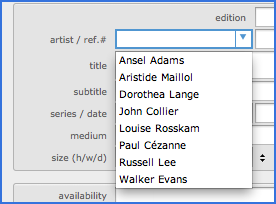
Create the records of your artists before creating records in the Works module. This will allow you to select the artist name in the drop down list, avoiding typing errors (see figure below).