Press
Features
- Storage of press articles, CV, etc.
- Storage of multi-page images or text files
- Printing
General information
In Press, in addition to the text fields, you can store documents as image or PDF file.
Insert an image a PDF file
- Activate Press.
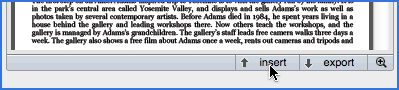
- Click the button Insert just below the Image field (see figure below).
Working with the insered documents
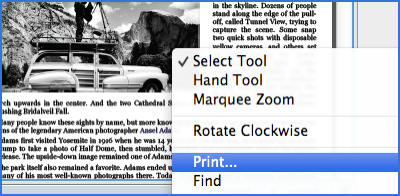
The PDF files are exportables, and can be edited in their original applications via the button Export (see screen capture above). If you want to print those documents, find or select texe text inside this documents, just right-click on the document and choose the action.